


Traeger
4.75.46K Reviews
App Specs
- Version
- 3.22.0
- Updated On
- License
- Free
- Downloads
- 1,000,000+
- Developer
- Traeger Pellet Grills, LLC.
- Categories
- Food & Drink
- Platform
- Android, iOS
Screenshots
 Analysis by AppCompare
I spent time with Traeger as a companion for Traeger cooking rather than treating it like a general recipe app. That distinction matters. Its main value appears when you already use, or plan to use, a compatible WiFIRE grill and want the phone to become part of the cooking routine. Instead of standing beside the grill for every adjustment, I can use the app to keep an eye on the cook, work through recipes, and stay connected with other Traeger users.
It is a free Food & Drink app from Traeger Pellet Grills, LLC., available for everyone and built for devices running iOS 10 or later. The app has grown into a widely used companion, with more than a million installs and a 4.7 average from roughly 29 thousand ratings. Those figures suggest that it is not a niche experiment, but they do not remove the need to understand what kind of cook it actually serves.
How I use the app from preparation to serving
I use the app from the first recipe decision through the moment I serve, because planning ahead is what makes its connected features feel useful rather than fussy. In this section, I’ll follow that routine and show how I keep the grill, cooking steps, and meal timing in sync.
A practical baseline workflow
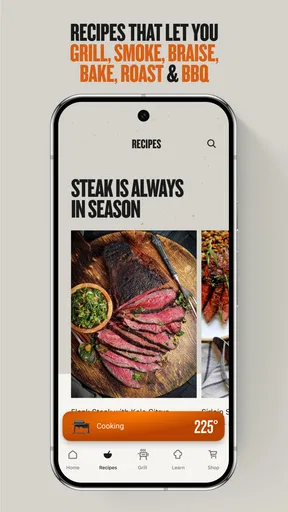
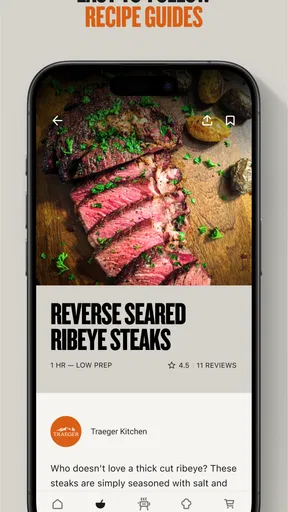
My most reliable routine starts before I light the grill. I use the recipe area to decide what I am cooking, check the broad sequence of steps, and think about timing. That preparation is more useful than opening the app only when the food is already on the grate. Pellet cooking rewards patience, and having the plan visible helps me avoid improvising at the least convenient moment.
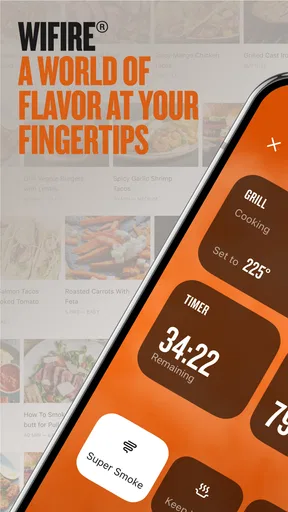
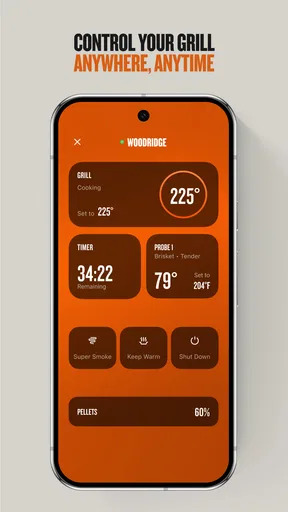
Once the grill is ready, the WiFIRE connection is the feature that separates this app from a normal collection of barbecue recipes. The phone becomes a remote point of contact with the grill, so I can check progress without repeatedly walking outside. In an everyday situation, that means starting dinner, returning indoors to prepare sides, and checking the cook from the kitchen instead of interrupting every other task to look at the controller.
I still treat the app as a companion, not as a replacement for judgment. Food thickness, weather, starting temperature, and how often the lid has been opened can all affect the result. A recipe gives me a useful path, while the grill and the food itself remain the final authority. That mindset prevents the common mistake of assuming that a digital cooking schedule guarantees identical results every time.
The recipe workflow is particularly helpful when I am cooking something unfamiliar. I can follow the order of operations rather than relying on memory, which is valuable when a dish involves a low-temperature phase followed by a hotter finish. For familiar meals, I use the app more selectively: I look for the target approach, then adapt the timing to the portion I actually have.
Worth Reading Before You Choose

EA SPORTS FC Mobile 26 Is a Bigger Football Game, but It Takes Time

Flipboard Shows What News Apps Must Do Beyond the Feed

Switching to Android Auto Means Rethinking Your Driving Routine

Google Calendar Makes a Crowded Week Easier to Manage

Ludo King Makes the Most of the Minutes Between Plans

Baby Panda World Brings Quick Play to Modern Phones, but Its Game Library Feels Busy
What makes the connected approach useful
The strongest benefit is reduced interruption. A conventional recipe app can tell me what to do, but it cannot serve as the same kind of bridge to a connected Traeger grill. I do not have to choose between monitoring dinner and getting other work done. That is especially convenient for longer cooks, when constant physical checking adds effort without necessarily improving the food.
There is also a confidence benefit for less experienced grill owners. The app brings the recipe guidance and grill connection into one place, so a new user has fewer separate tools to coordinate. I would recommend it to someone who wants a structured introduction to pellet grilling and owns the appropriate connected equipment.
That recommendation comes with an important boundary. If I were using a charcoal kettle, a gas grill from another brand, or a basic smoker with no WiFIRE connection, much of the app’s distinctive appeal would disappear. A general recipe service would probably be more flexible in that situation, because it would not tie the experience to a particular grill ecosystem.
Settings I check before trusting a cook
Before relying on remote monitoring, I make sure the grill is connected properly and that the phone is showing the expected state. This sounds obvious, but it is one of the most useful habits I developed with a connected cooking device: I confirm the connection while I am still near the grill, rather than discovering a problem after going indoors.
I also check the cooking instructions before starting. I want to know whether the recipe expects a temperature change, a turning point, or a finishing step. Reading ahead lets me prepare tools and ingredients before the app asks for them. It also helps me distinguish a recipe’s suggested process from a rigid rule that must be followed without considering the food in front of me.
Notifications and remote updates are most useful when they support a plan rather than replace one. I would not begin a long cook immediately before leaving home unless I had already tested the connection and understood how I would respond if something needed attention. Remote control is convenient, but convenience should not become an excuse to ignore the grill, the weather, or basic food safety.
A small but valuable adjustment is to keep the phone workflow simple during the cook. I use the app for the information I need at that moment instead of jumping between recipes, community posts, and unrelated screens. This reduces the chance of losing track of the next step, especially when my hands are busy or I am cooking for several people.
Repeatable habits that save time
Experienced use is less about discovering a secret button and more about repeating a dependable sequence. I choose the recipe early, gather everything before the grill reaches its working temperature, verify the WiFIRE link, and then let the app handle routine monitoring while I focus on preparation. That sequence makes the technology feel practical instead of distracting.
For weeknight meals, I prefer recipes that fit the time I actually have. The app can help me find an approach, but I still compare the cooking method with my schedule. A long smoke may be excellent for a relaxed weekend, while a quicker meal may be better when everyone is already hungry. The useful shortcut is not blindly selecting the shortest recipe; it is matching the recipe structure to the evening.
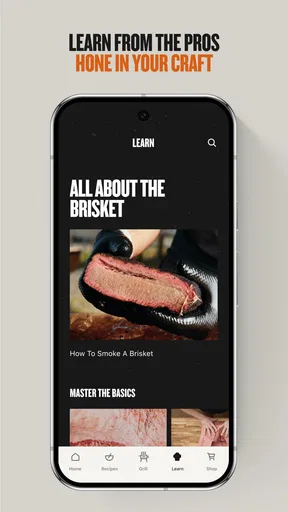
Another efficient pattern is to use the app as a learning record in my head, even without turning every cook into a formal experiment. After a meal, I remember what needed more time, whether the finishing stage suited the cut, and where I had to intervene. On the next attempt, I can start with a better expectation instead of treating the recipe as a one-time instruction sheet.
The community side can also be useful when approached carefully. Seeing how other Traeger owners think about food can provide inspiration when my usual rotation becomes repetitive. I treat those ideas as prompts, not guarantees. A community suggestion may assume a different cut, climate, grill setup, or serving time, so I still adapt it before committing ingredients to the cook.
Where the app is less convenient
The connected experience introduces dependencies that a paper recipe does not have. The phone, the app, the grill, and the network all need to cooperate. When everything works, the convenience is real; when the connection becomes unreliable, the extra layer can feel like friction rather than help. I therefore keep the basic cooking plan in mind instead of depending on the screen for every detail.
The app is also more specialized than a broad cooking platform. Its Traeger focus is a strength for owners who want recipes and grill control in the same ecosystem, but it is a limitation for cooks who move between brands or methods. Someone who wants meal planning across a whole household, grocery organization, or a large collection of unrelated cuisines may find a general food app more suitable.
There is a similar trade-off with the community. It adds personality and ideas, but it can make the experience feel busier than a simple recipe reader. If I only want a short ingredient list and a timer, the social layer may be unnecessary. If I enjoy comparing approaches and learning from other pellet-grill users, it becomes a worthwhile part of the experience.
Who should use it, and who should skip it
I think Traeger is a strong match for a Traeger owner with a WiFIRE-capable grill, particularly someone who cooks larger cuts, wants remote oversight, or is still building confidence with pellet grilling. It is also appealing to a household where one person starts the cook and another needs to check progress later. The shared visibility can make dinner planning less dependent on one person standing outside.
I would be more cautious about recommending it to someone shopping only for recipes. The app’s identity is tied to the Traeger cooking ecosystem, so a user without the relevant grill connection may not get the full benefit. In that case, a brand-neutral recipe app would likely offer more value and fewer restrictions.
It may also be the wrong choice for a cook who prefers complete manual control. Some people enjoy adjusting vents, fuel, and temperature by feel, and they may see connected automation as unnecessary. This app is designed for a different style: structured cooking with remote interaction and recipe guidance.
Version, cost, and everyday accessibility
The current version is 3.22.0, and the app remains free to download. That makes it easy to try without making a financial commitment, although the practical value depends heavily on owning compatible Traeger hardware. The Everyone content rating also makes it approachable for households where more than one person may use the cooking companion.
Because the app has been available since March 21, 2017, I view it as an established product rather than a newly released experiment. Its long presence helps explain why the community feels like part of the experience, while the current version shows that the software continues to be maintained. I would still keep the app updated, especially when relying on connectivity during a long cook.
My verdict after using its full workflow
Traeger succeeds when I use it for what it is: a connected cooking companion that brings grill interaction, recipes, and a Traeger-focused community together. The best results come from combining its convenience with ordinary cooking discipline. I verify the connection, read the entire process first, prepare ingredients in advance, and use remote monitoring to reduce unnecessary trips rather than to stop paying attention.
Its limitations are just as clear. It is not the most flexible choice for mixed-brand kitchens, manual barbecue enthusiasts, or people seeking a universal meal-planning tool. The networked workflow can add friction, and community inspiration still needs personal judgment. Those are meaningful trade-offs, not reasons to dismiss the app.
For the right owner, I would recommend it. The most convincing benefit is not a flashy feature but the way it changes the rhythm of a long cook: I can stay involved without hovering. When I pair that convenience with realistic timing, a quick connection check, and a willingness to adapt recipes to the food itself, the app becomes a genuinely useful part of the Traeger routine rather than just another icon on my phone.
My final advice is simple: choose Traeger if your grill is already central to your cooking and you want a more organized, connected workflow. Choose a general recipe app instead if flexibility across equipment matters more than remote grill control. For Traeger owners who value repeatable habits and less hands-on monitoring, this is a thoughtful free companion with enough depth to earn a permanent place in the cooking routine.
Pros
- Detailed cooking guides help beginners achieve consistent results.
- Supports monitoring multiple grills from one account.
- Recipe ideas cover smoking
- grilling
- roasting
- and baking.
- Pellet and temperature information is easy to check remotely.
- Useful alerts can notify you when cooking steps need attention.
Cons
- Some features require a compatible Traeger WiFIRE grill.
- Remote monitoring depends on a stable Wi-Fi connection.
- The app may use significant battery during long cooks.
- Initial grill pairing can be confusing for some users.
- Certain recipes or features may vary by region and grill model.
FAQs for Traeger
What is the Traeger app used for?
The Traeger app is a companion application for Traeger WiFIRE-enabled grills and smokers. It lets you browse recipes, follow guided cooking instructions, monitor temperatures, adjust certain grill settings remotely, and receive alerts when food is ready or fuel may need attention. Its usefulness depends on having a compatible Traeger model and a stable internet connection.
Is the Traeger app compatible with every Traeger grill?
No, compatibility varies by grill model. The app offers its most complete features with Traeger grills that support WiFIRE connectivity, while older or non-connected models may only benefit from recipes and general cooking content. Before downloading, check your grill’s exact model and confirm that it supports the required Wi-Fi functions and firmware.
Does the Traeger app require an account or subscription?
You generally need to create or sign in to a Traeger account to connect a compatible grill, save recipes, and use personalized features. The core app and many cooking resources are typically available without an additional subscription, although availability of recipes, services, promotions, or optional features can change. Review the current terms before relying on premium content.
Can I control my Traeger grill remotely with the app?
With a compatible WiFIRE-enabled grill, the app can provide remote monitoring and may allow you to change selected cooking settings, depending on the model and software version. It can also display probe temperatures and send notifications. However, remote control should not replace supervision, and the grill must remain safely installed, connected, and operated according to Traeger’s instructions.
What should I do if the Traeger app cannot connect to my grill?
Connection problems are commonly caused by an unsupported grill, incorrect Wi-Fi credentials, weak signal, outdated app software, or router settings that do not work with the grill. Confirm that your phone and grill meet the compatibility requirements, update the app and grill firmware, restart the devices, and reconnect through the setup process. Traeger support may be needed for persistent issues.


